
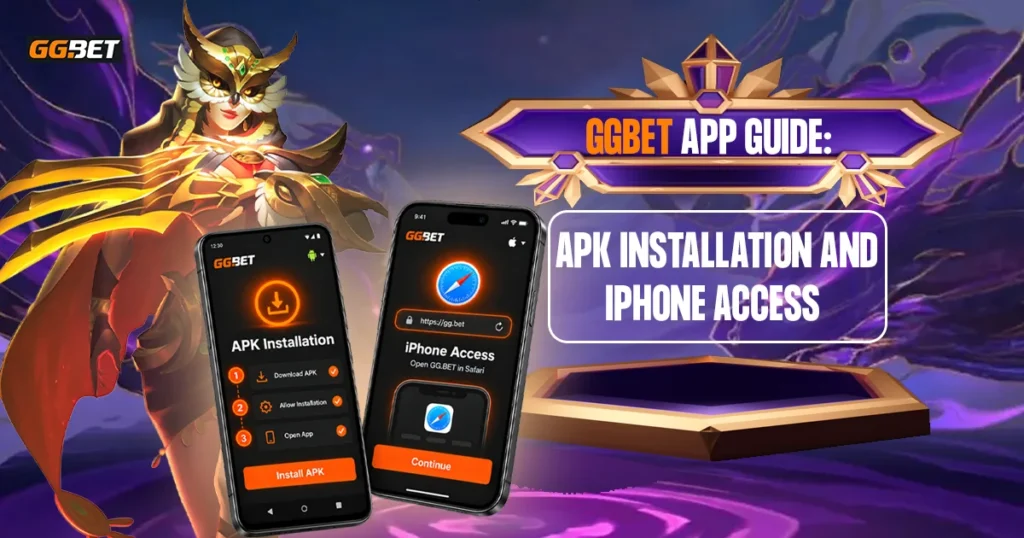
GGBET provides mobile access for users who prefer using a smartphone instead of a desktop computer. Android and iOS devices are both supported, although each operating system follows a different installation process.
Android users install the mobile version through an APK file, while iPhone users are directed through the Apple Store. Device compatibility, operating-system requirements, available features, and promotions may change over time, so users should review the latest platform information before installing or updating the software.
This guide explains how mobile access works, how to install the app on Android and iOS, what to check before downloading, and how to troubleshoot common installation problems.
What Is the GGBET App?
The GGBET app is the mobile version of the platform, designed for compatible smartphones and tablets. It gives users another way to access supported platform features without relying on a desktop browser.
Depending on the current version and account availability, users may be able to browse casino games, access sports-related sections, manage account settings, and use supported transaction features directly from a mobile device.
Existing users generally do not need to create a separate account after installation. The same registered account can usually be used across supported devices.
The main difference between the app and the mobile website is how they are accessed. The app is installed on the device and may require updates, while the mobile website opens directly through a browser without requiring installation.
Android and iOS Availability
GGBET supports both Android and iOS, but the installation methods differ.
| Detail | Android | iOS |
| Installation method | APK | Apple Store |
| Minimum OS | Android 5.0+ | Check current App Store listing |
| Manual installation | Yes | No |
| Additional install permission | May be required | Normally not required |
| QR access | Available | Available |
| Internet connection | Required | Required |
Compatibility may also depend on the phone model, available storage, current system software, device settings, and regional availability.
How to Download and Install GGBET on Android
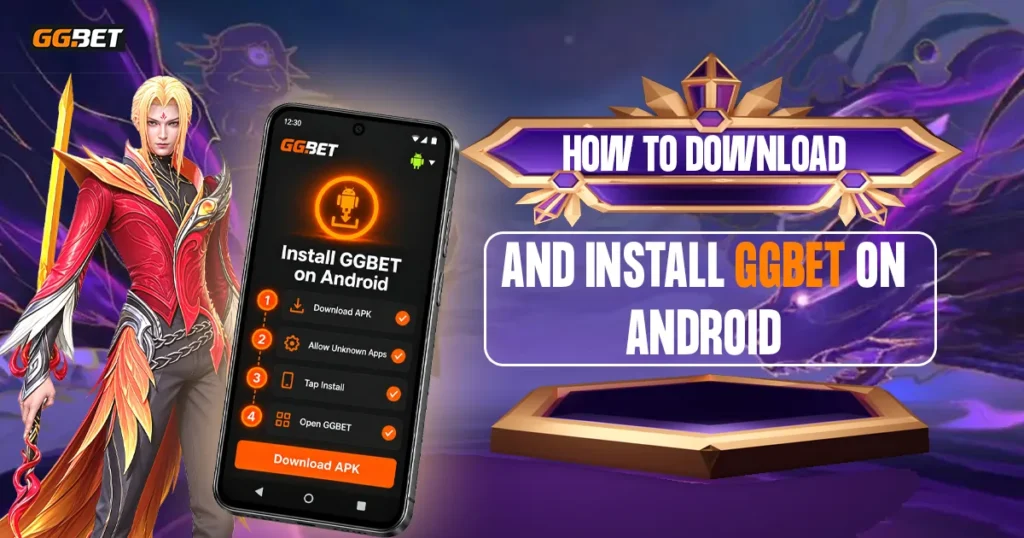
Android users install the mobile version through an APK file. The file can be accessed from the Android download page or by scanning the available QR code on another device.
After the APK finishes downloading:
- Locate the downloaded file in the Downloads folder or browser download history.
- Open the APK file.
- Review the Android installation prompt.
- Tap Install.
- Allow installation permission if the device requests it.
- Wait for the installation to finish.
- Open the application.
The exact menu names and permission prompts may vary depending on the Android version and device manufacturer. If installation is blocked, users may need to review the permission settings for the browser or file manager used to open the APK.
Why Android May Block Installation
Android may restrict APK files installed outside a standard marketplace as part of its built-in security controls.
If the installation is blocked, the device may ask whether the browser or file manager used to open the APK is allowed to install external software. This does not necessarily mean there is a problem with the file.
Users should only grant installation permission when they intentionally downloaded the APK and have verified the source. There is usually no need to disable broader security settings permanently just to complete the process.
How to Download and Install GGBET on iPhone
iPhone users access GGBET through the Apple App Store rather than through an APK file. Open the iOS download option and continue to the App Store listing, or scan the available QR code to reach the same destination on an iPhone.
Before installing, review the current listing for details such as:
- Required iOS version
- Device compatibility
- Current software version
- Developer information
- Recent update history
If the device meets the listed requirements, continue with the standard App Store installation process. Unlike Android, iPhone users do not need to manually download or open an installation file.
What Can Users Access on Mobile?
The mobile version is designed to provide access to the platform’s main features from a smartphone. Available functions can change depending on the current version, account status, location, and device compatibility.
Casino Games
Users may be able to browse supported casino categories, including slot games and other available titles. The exact game selection can vary based on provider availability, region, and current platform support.
Sports
The sports section may include upcoming matches, available markets, odds, and live events. Because sports content changes throughout the day, the number of events and betting options can vary.
Account Management
Users may be able to review profile information, account balance, settings, and transaction history directly from the mobile interface.
Payments
Deposit and withdrawal functions may also be available on mobile. Supported payment methods, transaction limits, verification requirements, and processing times can vary, so users should review the latest payment information before making a transaction.
Are There App-Related Promotions?
GGBET may offer certain promotions specifically for mobile users, but these offers should be treated separately from the installation process. Simply downloading or installing the mobile version does not automatically guarantee that a bonus or reward will be credited.
Before joining any mobile-related promotion, users should review the current terms, including:
- Eligibility requirements
- Activation steps
- Promotion period
- Eligible games or products
- Minimum qualifying activity
- Wagering requirements
- Withdrawal conditions
Promotions can change, expire, or be replaced over time. Users should rely on the latest terms provided by the platform rather than older promotional information.
GGBET Mobile vs. Website
Users can also access the platform through a mobile browser without installing additional software.
| Feature | Installed Version | Mobile Website |
| Installation | Required | Not required |
| Device storage | Uses storage | Minimal |
| Access | Home-screen icon | Browser |
| Updates | May require manual or store-based updates | Site updates are applied automatically |
| Compatibility | Depends on OS/device | Depends on browser/device |
The mobile website may suit users who prefer not to install software, while the app provides direct access from the device.
Neither option is automatically better; the more practical choice depends on the user’s device and preferred access method.
How to Log In After Installation
Existing users can usually sign in using the same account credentials they already use on the platform. For a more detailed walkthrough, users can also review the GGBET Login guide for information about accessing an existing account and handling common login issues. Depending on the account setup, this may include a registered phone number, email address, username, and password.
If login details are forgotten, use the platform’s official account-recovery option rather than creating another account unnecessarily. This can help avoid duplicate-account issues or additional verification problems.
Before entering any login information, make sure the app or website being used is the intended GGBET platform and not a lookalike page.
How to Update the GGBET App
Updates may be needed to maintain compatibility, fix technical issues, improve security, or support newer platform features.
Android
Android users should check the current GGBET download source when a newer version is required. If an updated APK is available, download the latest file and follow the installation process again where necessary.
Avoid modified or unofficial APK files from unrelated third-party websites, as these may be outdated or altered.
iOS
iPhone users can normally update the mobile version through the Apple App Store. Updates may install automatically when automatic updates are enabled, or users can check the App Store manually for a newer release.
The exact update process can vary slightly depending on the iOS version and device settings.
Common Android Problems
APK Does Not Download
A failed download can be caused by several issues, including:
- Unstable internet connection
- Browser download restrictions
- Insufficient device storage
- Temporary server or page issue
Check the connection, available storage, and browser settings before trying the download again.
APK Will Not Open
An APK may fail to open if the file is incomplete, corrupted, or incompatible with the device.
If the download appears damaged, delete the file and download a fresh copy from the intended source. Also confirm that the device meets the current Android requirements.
Installation Is Blocked
Android may block the installation if the browser or file manager does not have permission to install external applications.
Review the security prompt and allow only the permission needed for the installation. Avoid changing unrelated device security settings.
App Will Not Open
An installed app may fail to launch because of an outdated version, compatibility issue, corrupted installation, or temporary platform problem.
Check for a newer version first. If the issue continues, reinstall the app using a fresh installation file from the correct source.
Common iOS Problems
App Store Page Does Not Open
If the App Store page does not load, first check the internet connection and confirm that the store is working normally.
A temporary redirect, connection issue, or store-related problem may prevent the page from opening correctly. Trying again later or opening the App Store directly may help.
Installation Is Unavailable
The install option may be unavailable for several reasons, including:
- Unsupported iOS version
- Device incompatibility
- Regional availability
- Apple account restrictions
- Insufficient storage
The current App Store listing is the best place to confirm compatibility and device requirements.
App Will Not Launch
If the installed version does not open, check whether a newer iOS release or software update is available.
Temporary issues may sometimes be resolved by restarting the device. If the problem continues, review the current version information and available support options.
Download Source, Security, and Permissions
Before installing mobile software, users should verify the download source and review any permissions requested during setup. This is especially important for Android APK files, which can be redistributed through third-party websites.
Before proceeding, consider the following:
- Check the website address carefully.
- Avoid lookalike or unofficial download pages.
- Do not use modified APK files from unknown repositories.
- Keep device security protections enabled.
- Review permissions before granting access.
- Avoid permissions that appear unrelated to the software’s purpose.
- Keep Android or iOS updated.
A familiar logo or website design does not automatically confirm that a download source is legitimate. Android users should be particularly cautious with APK files, while iPhone users should review the App Store listing and developer information before installation.
For additional guidance on downloading apps safely and understanding the risks of apps from unknown sources, readers can refer to Android Help’s guidance on downloading apps.
Users may also want to read the current privacy policy to understand how account details, device information, transaction data, and other personal information may be collected, stored, or used.
Responsible Gaming on Mobile
Mobile access can make gaming easier to reach, which makes personal limits on both spending and session time especially important.
Real-money gaming should be treated as entertainment rather than a reliable source of income. Set a budget before playing and use only money that can be lost without affecting essential expenses such as food, rent, utilities, healthcare, education, transportation, or debt payments.
Time limits can also help prevent sessions from continuing longer than intended. Avoid increasing stakes simply because previous games or bets resulted in losses, as chasing losses can increase financial risk.
If gaming becomes difficult to control, stop playing and consider using available responsible gaming tools such as deposit limits, time limits, self-exclusion, or support resources.
Final Overview
GGBET can be accessed on both Android and iOS devices, but the installation method depends on the operating system. Android users install the mobile version through an APK file, while iPhone users access it through the Apple App Store.
Before installing, users should check device compatibility, available storage, software requirements, and the source of the download. It is also important to review permissions, avoid unofficial or modified files, and keep device security features enabled.
Mobile access may provide a more convenient way to use the platform, but it does not change the risks associated with real-money gaming. Set clear spending and time limits, avoid chasing losses, and use only money that can be lost without affecting essential expenses.