
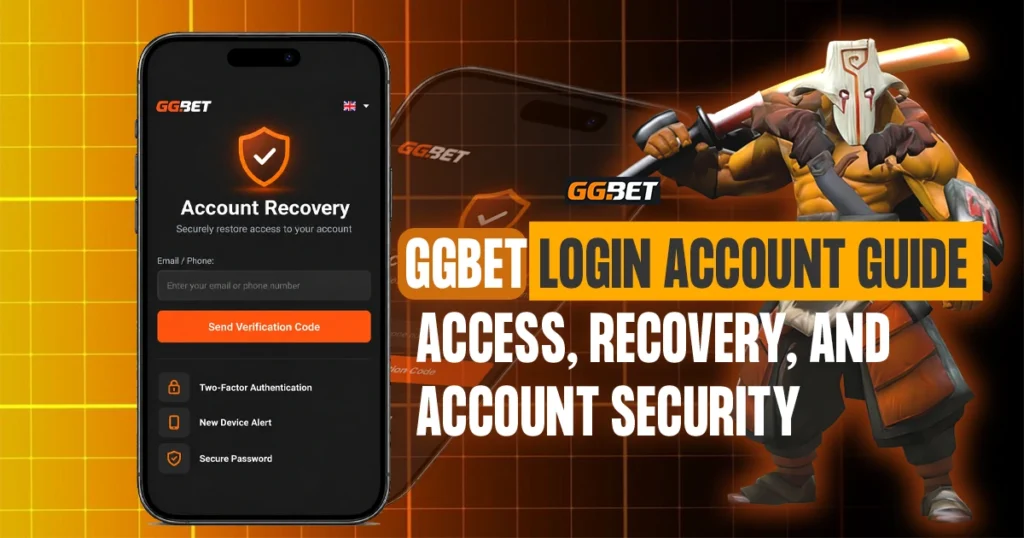
GGBET allows existing users to access their registered profile through the current login account page. The standard sign-in form uses an email address or phone number and password, while alternative access options include Apple, Google, Steam, and X.
Problems with a login account can still happen because of incorrect credentials, forgotten passwords, browser issues, linked-account problems, or access from a different device.
This guide explains how GGBET login account access works, how password recovery is handled, what to check when sign-in fails, and how to protect account information. Because login procedures can change, users should follow the latest instructions shown on the current GGBET login page.
What Is a Ggbet Login Account?
A GGBET login account is an existing registered profile used to access the platform.
Login is for existing users, while Sign up is for creating a new account. The current GGBET login page shows this clearly with the “Need an account? Sign up” option.
Once signed in, users can access the features available to their profile. If the login account cannot be accessed, existing users should try the available recovery or troubleshooting steps before creating another account.
GGBET Login Methods
The current login page provides several ways to access an existing account.
| Login Method | How It Works |
| Email / Phone | Enter the email address or phone number registered to the account |
| Password | Enter the password connected to the registered account |
| Apple | Sign in using an eligible Apple-linked account |
| Use the Google account linked to GGBET | |
| Steam | Access through a connected Steam account |
| X | Sign in using the connected X account |
The standard form uses Email / Phone together with a password.
The other options may be useful for users whose GGBET profile was created or linked through one of those external services.
Users should generally select the same method they previously used rather than switching between login options without knowing whether the accounts are connected.
How to Log In to Your GGBET Account
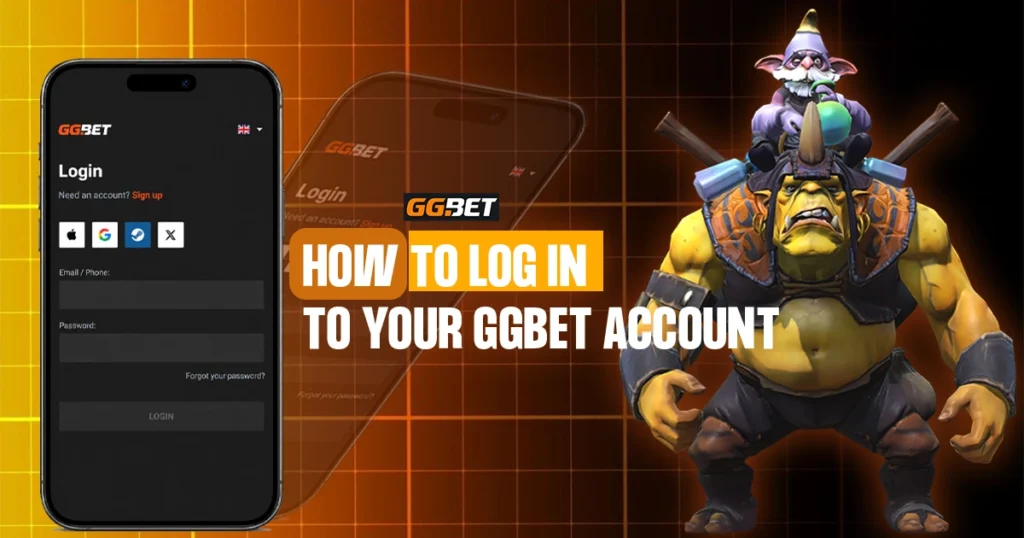
Users can access their GGBET login account directly from the platform’s current login page.
1. Open the GGBET Login Page
Go to the GGBET website and open the login section. Before entering any information, confirm that you are on the correct website, especially if you arrived through an advertisement, social media post, message, email, or third-party link.
2. Enter Your Email or Phone Number
The standard form includes an Email / Phone field. Enter the email address or phone number connected to your registered account.
Check for:
- Missing numbers or characters
- Incorrect email spelling
- Accidental spaces
- Details connected to another account
Make sure the information matches your registered profile.
3. Enter Your Password
Enter the password for your login account. If your browser fills it automatically, confirm that the saved password is still current, especially after a password change or reset.
4. Select Login
Select the Login button after entering the required details. If access fails, check the information carefully instead of repeatedly guessing passwords. Use the available recovery option if needed.
Logging In With Apple, Google, Steam, or X
The current GGBET login page also provides alternative access through Apple, Google, Steam, and X. These options may be used when the corresponding external account is already connected to the GGBET profile.
| Login Option | What to Check |
| Apple | Use the Apple account connected to your GGBET profile |
| Select the correct Google account, especially if several are signed in | |
| Steam | Use the Steam account associated with your GGBET profile |
| X | Sign in using the X account previously connected to GGBET |
Using a different external account may not open the expected login account, so users should normally choose the same method previously linked to their profile.
What to Check Before Accessing Your Login Account
Before accessing your login account, make a few quick checks to reduce common sign-in problems:
- Confirm the website address is correct
- Make sure the login page loads normally
- Check that your internet connection is stable
- Use the registered email address or phone number
- Enter the correct password
- Select the correct linked Apple, Google, Steam, or X account
- Use a trusted device
- Watch for browser warnings or unfamiliar redirects
These checks are especially useful when accessing your login account from a new browser or device.
GGBET Login Account Access on Mobile
A GGBET login account can be accessed from a compatible mobile device using the browser, a supported mobile version, or a linked sign-in method.
| Access Method | General Process | Important Check |
| Mobile browser | Open the GGBET website and use the login form | Confirm the website address |
| Supported mobile version | Open the platform through the supported mobile access method | Use a trusted installation source |
| New smartphone | Sign in using existing account details | Use the same registered login information |
| Social or linked login | Select Apple, Google, Steam, or X where supported | Choose the account already connected to GGBET |
Changing phones does not require a new login account. Existing users should first try their current credentials or linked sign-in method.
Browser Access
Open GGBET in a compatible browser and enter the same Email / Phone and password connected to your account. If you normally use Apple, Google, Steam, or X, select the matching option instead.
Access From a New Device
If your login account works on one device but not another, check:
- Browser compatibility
- Saved credentials
- Cookies or stored site data
- Internet connection
- The linked Apple, Google, Steam, or X account being used
Do not create a second account simply because login fails on a new device.
Forgot Your Password?
The current GGBET login page includes a “Forgot your password?” option below the password field. Use this first if you cannot remember the password for your login account.
Password Recovery Steps
The exact recovery screen may change, but the general process is:
- Open the GGBET login page.
- Select Forgot your password?
- Follow the instructions shown.
- Enter the requested account information.
- Complete the required recovery steps.
- Create a new password if prompted.
- Return to the login page.
- Sign in to your account using the updated credentials.
Follow the current recovery instructions instead of relying on outdated screenshots or unofficial guides. After changing your password, update any saved browser credentials so the old password is not entered automatically.
Common Login Account Problems
Problems with a GGBET login account are often caused by incorrect details, browser issues, or selecting the wrong linked account.
| Login Problem | Possible Cause | What to Check |
| Cannot sign in | Incorrect email, phone, or password | Recheck the registered details |
| Password forgotten | Password cannot be remembered | Use Forgot your password? |
| Login button does not proceed | Required fields may be incomplete | Check both login fields |
| Google login fails | Wrong Google profile selected | Choose the account linked to GGBET |
| Apple login fails | Incorrect Apple account | Confirm the connected Apple profile |
| Steam login fails | Wrong Steam account | Use the connected Steam profile |
| X login fails | Wrong X account selected | Confirm the linked profile |
| Page loads incorrectly | Browser or connection issue | Reload or try another compatible browser |
| Works on one device only | Device or stored-data problem | Check saved credentials and browser settings |
Make sure the email address or phone number matches the details registered to your account. Typing errors, missing digits, or outdated contact information can prevent access.
Incorrect Password
A password may fail because of incorrect capitalization, typing errors, old saved credentials, or a recently changed password. If you cannot remember it, use the recovery option instead of repeatedly guessing.
Wrong Connected Account
If you use Apple, Google, Steam, or X, select the account already connected to your GGBET account. Choosing a different profile may prevent access to the expected account.
Browser or Connection Problems
If the login page does not load properly, try:
- Reloading the page
- Reopening the browser
- Using another compatible browser
- Checking saved credentials
- Reviewing browser extensions that may interfere with the page
Avoid entering login account information if the browser shows unusual security warnings or redirects to an unfamiliar website.
How to Protect Your GGBET Account
Protecting your GGBET account means securing not only the password, but also the email, phone, linked accounts, and devices connected to your profile.
Use a Unique Password
Use a password that is not shared with other websites or services. Reusing the same password can increase the risk if another account is compromised.
Keep Your Password Private
Do not share your login password through email, social media, chat messages, screenshots, or public forums. Account credentials should remain private.
Secure Linked Accounts
If you sign in with Google, Apple, Steam, or X, keep those accounts secure as well. Use strong passwords and available security features to reduce unauthorized access.
Protect Your Email and Phone
Your registered email address or phone number may be used for account access or recovery. Keep them secure, especially if a device is lost or compromised.
Avoid Saving Credentials on Shared Devices
Do not save your login credentials on public or borrowed devices. If you use a shared device:
- Do not save the password
- Sign out when finished
- Close the browser session
- Check that your credentials were not stored
How to Recognize a Suspicious GGBET Login Page
A fake login page may look similar to GGBET, so logos and colors alone are not enough to confirm that a page is legitimate.
For additional guidance on recognizing suspicious links, websites, and phishing attempts, readers can refer to Google’s security tips.
Warning signs include:
- A misspelled or unfamiliar website address
- Unexpected redirects
- Browser security warnings
- Login links from unknown accounts
- Requests to send your password through chat
- Unofficial downloads
- Urgent messages about account access
- Third parties offering private account recovery
Always check the page before entering login account details. If something looks unusual, close it and access GGBET through your usual verified route.
Can You Log In From Another Device?
Existing users may access their login account from another compatible phone, tablet, or computer using the same registered details or linked sign-in method.
If access fails on the new device, check:
- Whether the credentials are correct
- Whether the browser saved an outdated password
- Whether the correct Apple, Google, Steam, or X account is selected
- Whether the login page loads properly
- Whether the issue occurs only on that device
Do not create another account immediately. These checks can help determine whether the issue is related to the login account or the device.
What If Your Phone Is Lost?
If a phone used to access your GGBET account is lost, secure the accounts connected to that device as soon as possible.
This may include your:
- Email account
- Google account
- Apple account
- X account
- Steam account
- Mobile number
If you can still access GGBET from another trusted device, review the available account and security settings. Change relevant passwords if you believe the lost phone could still provide access to your login account or connected services.
What to Do If Someone May Have Accessed Your Account
Unexpected profile changes, unfamiliar activity, or difficulty accessing a previously working login account may indicate unauthorized access.
If you suspect someone else has gained access:
- Change your password if you can still sign in.
- Secure your registered email or phone.
- Secure any connected Google, Apple, Steam, or X account.
- Review your account information and recent activity.
- Check for changes you did not make.
- Contact GGBET support if access cannot be restored safely.
Avoid third parties that claim they can recover your login account in exchange for your password or private information.
When Should You Contact GGBET Support?
Contact GGBET support when a login account problem cannot be resolved through normal recovery or troubleshooting.
This may include:
- Password recovery does not work
- You no longer control the registered contact information
- Account details appear to have changed
- You suspect unauthorized access
- A linked login method opens the wrong account
- Normal troubleshooting does not restore access
- The account appears unavailable or restricted
Use support information shown through the current GGBET platform instead of contact details from an unknown third-party source.
Should You Stay Logged In?
Staying signed in may be convenient on a personal device, but it can increase the risk of unauthorized access on shared or borrowed devices.
Log out of your login account when using:
- Shared computers
- Borrowed phones
- Public workstations
- Devices used by several people
Even on a personal device, use appropriate device security to help protect account access.
Final Overview
A GGBET login account gives existing users access to their registered profile through the platform’s current login page. The standard form uses Email / Phone and a password, while Apple, Google, Steam, and X are also shown as alternative sign-in options.
If a password is forgotten, users can select Forgot your password? and follow the recovery steps provided by GGBET. Most login account problems can be resolved by checking registered details, linked accounts, saved browser credentials, or another compatible device.
Users should also protect their passwords, email, phone, and connected accounts. If access cannot be restored or suspicious activity appears, use GGBET’s current support or recovery options and follow general account security guidance to protect connected accounts.
Because login methods and page layouts may change, the latest instructions shown on GGBET should take priority over older screenshots or third-party guides.